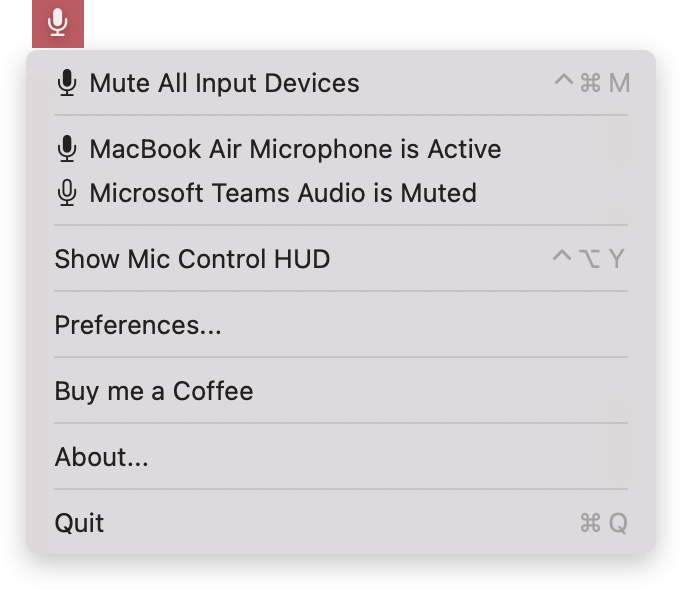
Global Instant Mute
Toggle your Mac’s built-in and connected microphones instantly using a custom system-wide keyboard shortcut or menu bar option
On-Screen Floating HUD
Keep your audio input mute status front and center with a floating Mic Control window
Granular & Master Input Control
Mute all audio inputs at once using the master kill switch, or easily manage individual microphones, webcams, and virtual headsets directly from your menu bar
Software Compatibility
Delivers low-overhead, system-wide protection across web browsers, audio editors, and virtual meeting apps without draining resources
Custom Alert Notifications
Get clear, immediate feedback whenever your microphone toggles using macOS banner notifications, audio chimes, spoken text, or screen flashes
Triple-Layer Privacy Enforcement
Choose your level of privacy with three custom muting methods: Core Audio hardware mute, master input volume zeroing, or a combined mode that enforces both simultaneously
How MicMüter Compares
| Feature | MicMüter | Mutify | Mic Drop |
|---|---|---|---|
| Audio Input Device Control | All input devices or individual | Default device only | All input devices or individual |
| Mute Enforcement Methods | 3 Modes (Core Audio Hardware, Volume Zeroing, Combined) | Mutes default input volume | Core Audio Hardware muting |
| Auto-Mute on App Launch | Mutes input audio whenever a specific app launches | Not supported | Not supported |
| Push-to-Talk Mode | Not supported | Tap & Hold / Push-to-Talk Mode | Tap & Hold / Push-to-Talk Mode |
| Visual HUD & Hotkeys | <Floating HUD, Menu bar status icon & global hotkeys | Floating HUD & customizable hotkey | Menu bar status icon & global hotkeys (Push-to-talk) |
| Status Feedback Options | Speech synthesis, notifications, screen flash, sounds, indicator color change, menu bar icon status | Sound effects & notifications | Audio cues & menu bar icon status |
| Pricing & License | Free Donation-supported | ~$4.99 One-time Buy | ~$4.99 One-time Buy |